YielnaOpen

The toolkit

Every tool, in the order you meet it

Ten tools in four groups. What each one is for, what it actually shows you, and when you would reach for it rather than the one before.

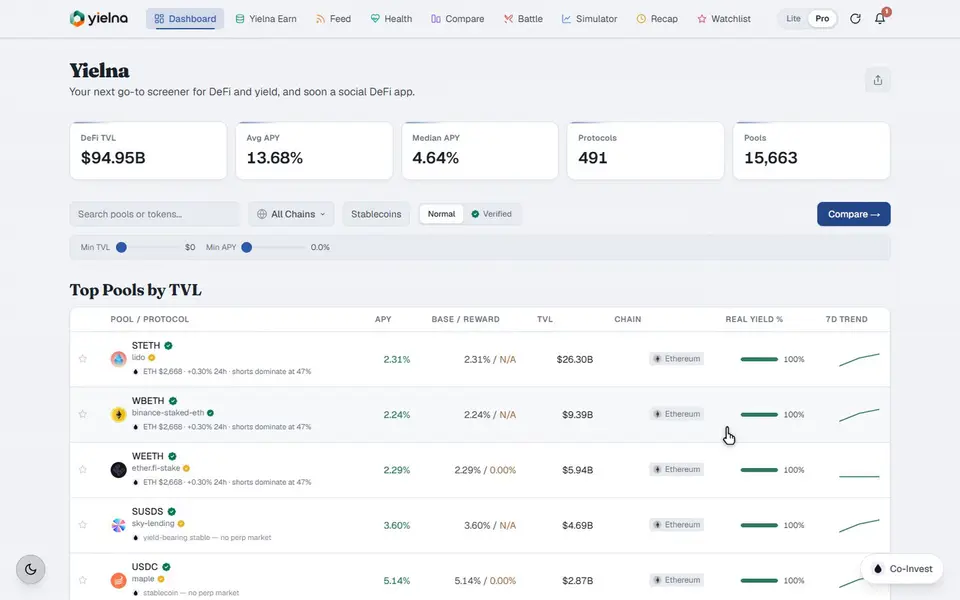
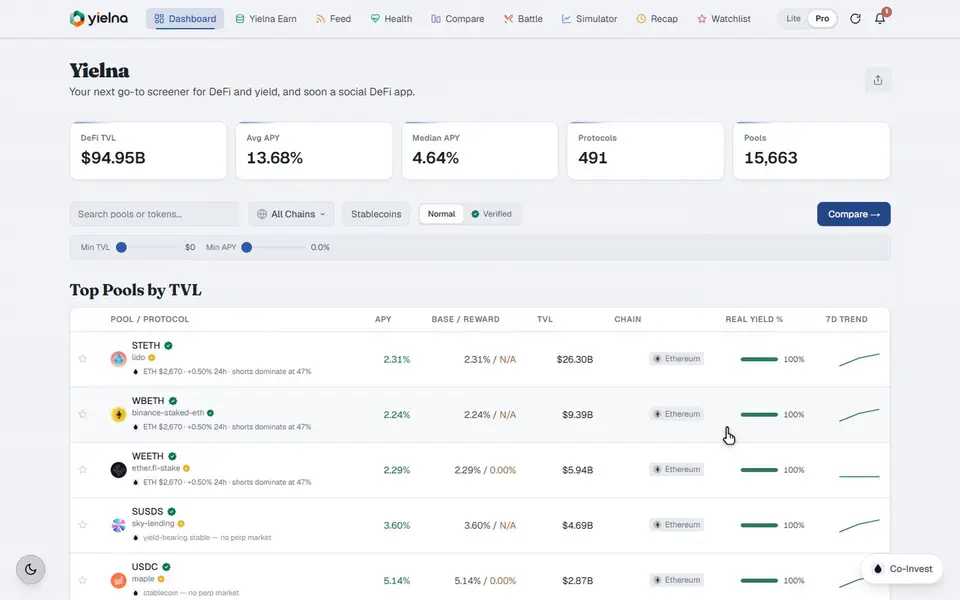
The dashboard, and a pool opened in detail.

Where you start

The dashboard and pool pages

Every pool Yielna knows about in one sortable table, and the full history behind any row you open.

The dashboard

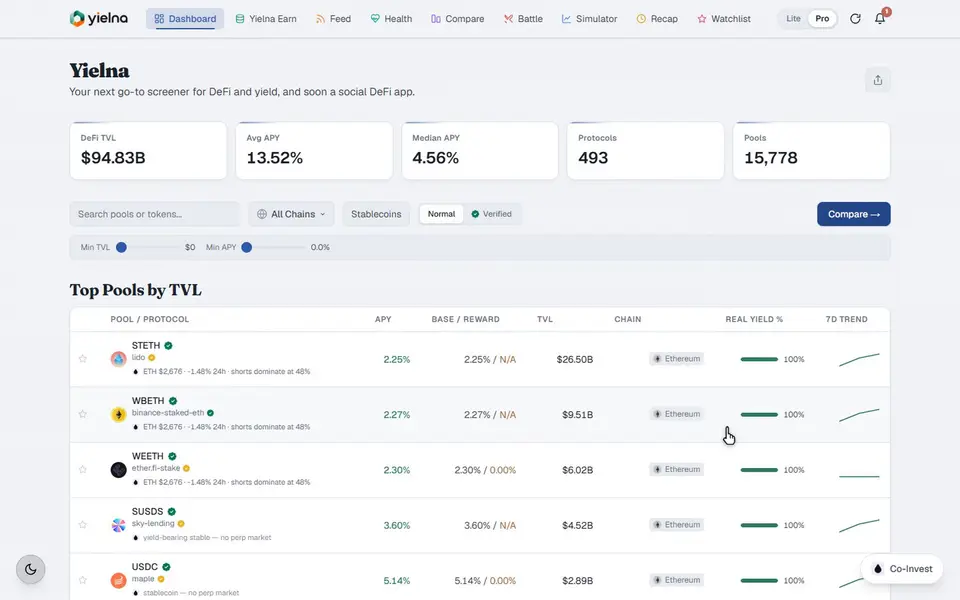
Pools from hundreds of protocols across more than two hundred chains, with APY, TVL, the split between base and reward yield, chain and protocol on every row. Filter by chain, by asset class, by protocol, or narrow to stablecoins only. It is the widest view in the product and the only screen where you see everything at once.

Pool pages

Open a row and you get history rather than a snapshot: APY over time, TVL trend, how much of the yield is real revenue versus token emissions, plus stability and sustainability ratings. The market read for the underlying asset sits alongside.

Verified links

Every pool page carries a link straight out to the pool or protocol itself. It is there so you can confirm at the source rather than take an aggregator's word for it, which is the whole reason an aggregator deserves trust.

Asking about an asset, and getting a chart back.

Ask anything

The Co-Invest chatbox

A live market read on any asset Liquid lists, from any page in the app.

Live reads

Ask how BTC is doing, what ETH funding looks like, whether SOL is overbought, or where liquidation clusters sit, and it answers from live data rather than a cache from this morning.

Charts and concepts

Candlestick charts from one hour to six months, RSI, MACD and moving averages. It also explains the vocabulary: impermanent loss, funding, what a liquid staking token actually is.

It stops when it runs out

Rules over a data feed, not a language model. Ask about a token with no market and it says so. Ask it to open a trade and it refuses, because there is no order path in the app for it to use.

The feed, a protocol health score, and a saved watchlist.

Stay on top

Feed, health and watchlist

What is moving right now, whether the protocol behind it is sound, and a memory of what you care about.

The yield feed

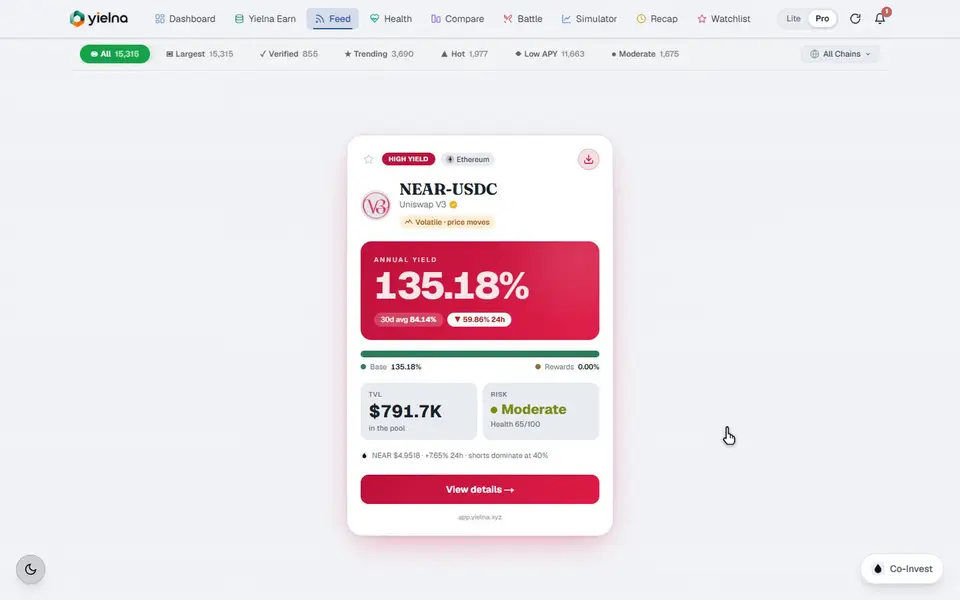
Stablecoin yields, staking rewards, liquidity mining and everything between, updating in real time across Ethereum, Solana, Arbitrum, Base and the rest. Filter by risk level, chain or yield type. Anything here can be selected straight into Compare.

Protocol health

A 0 to 100 score built from four published inputs: TVL stability, real yield percentage, pool diversity and APY quality. Above 65 reads as low risk, 40 to 65 medium, below 40 high. The inputs are shown because a safety score you cannot interrogate is not one.

The watchlist

Star anything and track its APY, TVL and health over time. It lives in your own browser rather than on a server, which is why it needs no account and why nobody else knows what is on it.

Two pools compared, battled, simulated, then recapped.

Decide faster

Compare, battle, simulate, recap

The four tools that turn a shortlist into a decision, and then keep you current on it.

Compare

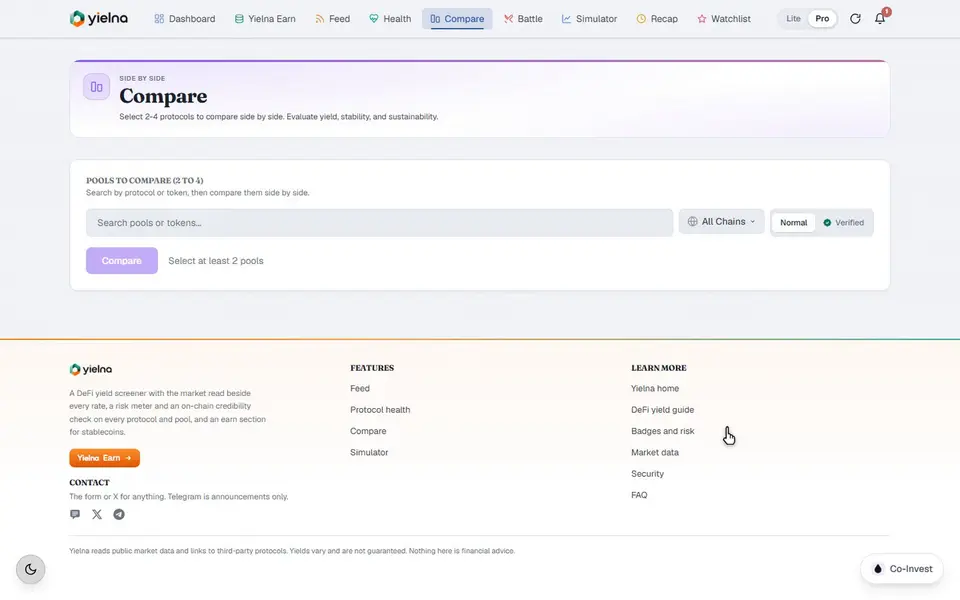
Any number of pools laid out field against field: APY, TVL, risk level, historical performance and sustainability in parallel columns, with the market conditions for each underlying asset in the same row of your eye. This is where two pools that looked identical stop looking identical.

Strategy battle

Compare lays out the fields; Battle takes a position on them. It weighs APY against risk score, TVL, projected return and sustainability, then says which side the data favours and why. It will tell you plainly when the difference is marginal.

The simulator

Put in an amount and a horizon and get conservative, expected and optimistic projections, built on real historical APY rather than one flat rate held constant. Three numbers instead of one, because a single figure implies a confidence nobody has. Nothing here touches a wallet.

The daily recap

Yield spikes, APY drops, TVL movement and trending protocols since you last looked, plus what happened to your watchlist. It exists so that not checking for three days costs you a minute of reading rather than a scroll through everything you missed.

How they fit together

Listed out they read as ten features. Used, they are one motion: the dashboard or the feed gives you candidates, selecting narrows them, Compare lays them out, Battle picks between them, Health checks the winner, and the simulator sizes it. The recap is how you re-enter after a few days away.

The mechanics page walks that route step by step and explains where each number comes from.

All of it, without an account

Every tool on this page works with no wallet and no sign-up. Earn is the exception, and only at the moment you deposit.

Open the app